ProCowork 0.2: ArcGIS Pro 3.8, a Real Stop Button, and Safer Edits
A couple of months ago I wrote about ProCowork, my experimental ArcGIS Pro add-in that puts the Claude Code engine in a dockable chat panel. You type a request, Claude writes ArcPy, and the add-in runs it on the live, open project. Since then, ArcGIS Pro 3.8 came out, and I spent some bench time on the parts that matter once you let an agent touch real data. This is a short update on version 0.2.
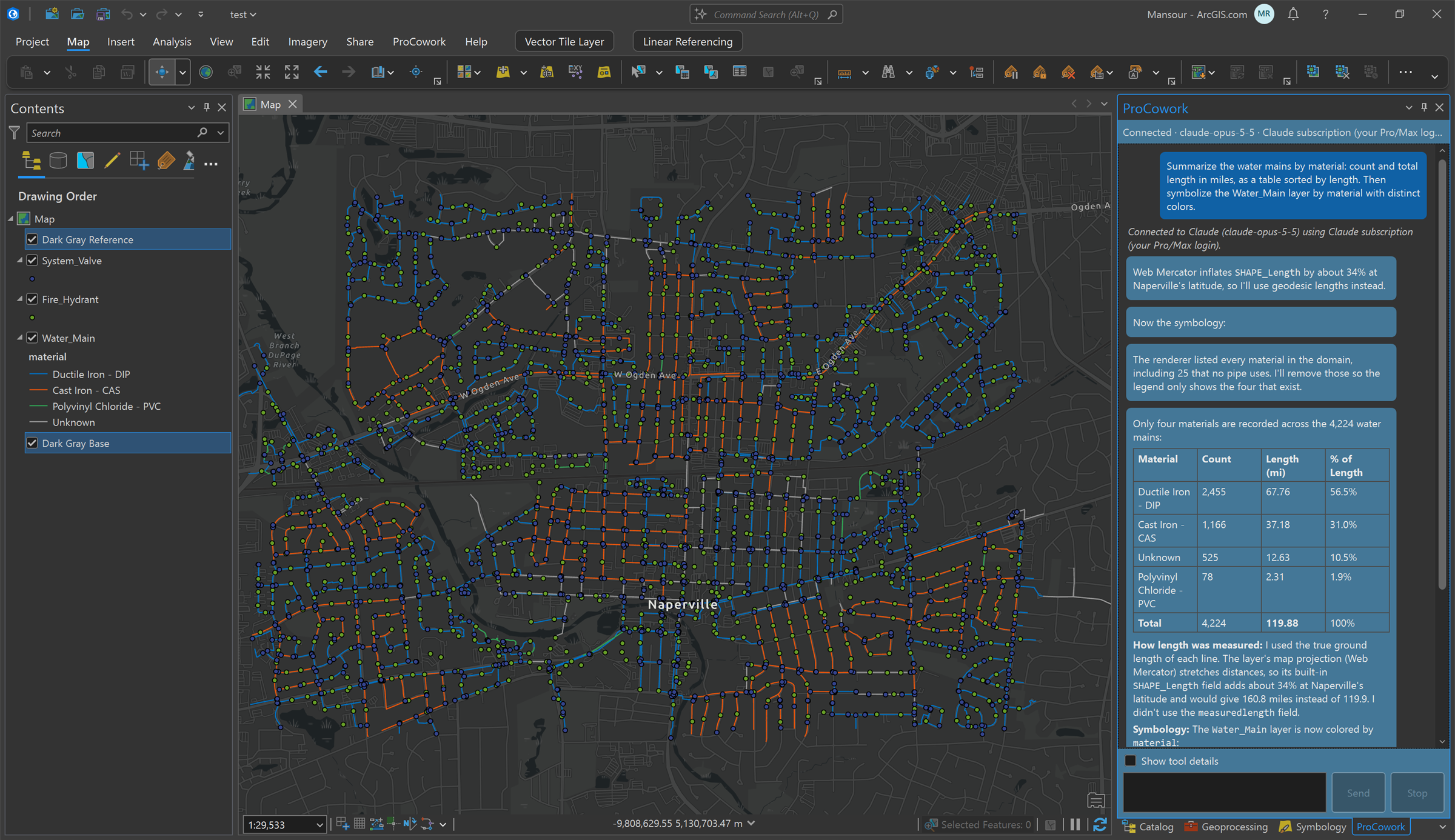
One build for Pro 3.7 and 3.8
Pro 3.8 runs on .NET 10, the same as 3.7. So I did not need two builds. The add-in
compiles against the 3.7 SDK, the oldest release I support, and declares 3.7 as its
minimum Pro version. The same .esriAddinX loads in both. On Pro 3.8.1 the
build is clean and the ArcPy write path passes headless. I have not yet exercised the
chat panel inside the 3.8 UI, so treat 3.8 as "should work, tell me if it does not."
Pro 3.6 and earlier are no longer supported.
A Stop button that actually stops
I did not mention this last time. The view model had a Stop command, but the panel never bound it, so a long turn could not be aborted. Now there is a Stop button next to Send. It kills the Claude engine process tree right away, and the next message starts a fresh session. The tricky part was the leftovers. A callback from the killed session could still arrive and clear the new turn's state or paint a false "Failed to send." Each engine session now carries an epoch number, and callbacks from an old epoch are dropped.
Guards on the data path
Most of the work in 0.2 is about doing the wrong thing less often:
update_fieldruns inside an edit session. A failure part-way rolls back, and versioned enterprise data accepts the edit, on the layer's own version. Feature services have no edit session, so rows written before a failure stay written.- With no active map view (a layout or the Catalog view in front), a layer name is refused. Before, it resolved against the project's first map, where a same-named layer could be different data.
- A layer named
Pop/SqMiis no longer taken for a path. - The model id from the Options page is validated before it reaches the engine's
command line, which goes through
cmd.exe.
The tool catalog lives in three places: the MCP catalog in C#, the .NET read handlers,
and the Python handlers in RunScript.pyt. Nothing kept them in step, so
now a plain Python check, with no ArcPy, fails when they disagree:
python tests\check_tool_catalogs.pyStill YOLO
The generated code still runs on your open project with no approval prompt. The guards above reduce the damage of a bad call. They are not a security boundary. Keep backups, and do not point it at the only copy of anything you care about. This is my personal experiment, not an Esri product, and it is not supported by Esri.
The source code and build steps are in the ProCowork repository. The proper review-and-approve card is still next on my list.
More to come :-)

Comments