Maps in the Claude Code Terminal
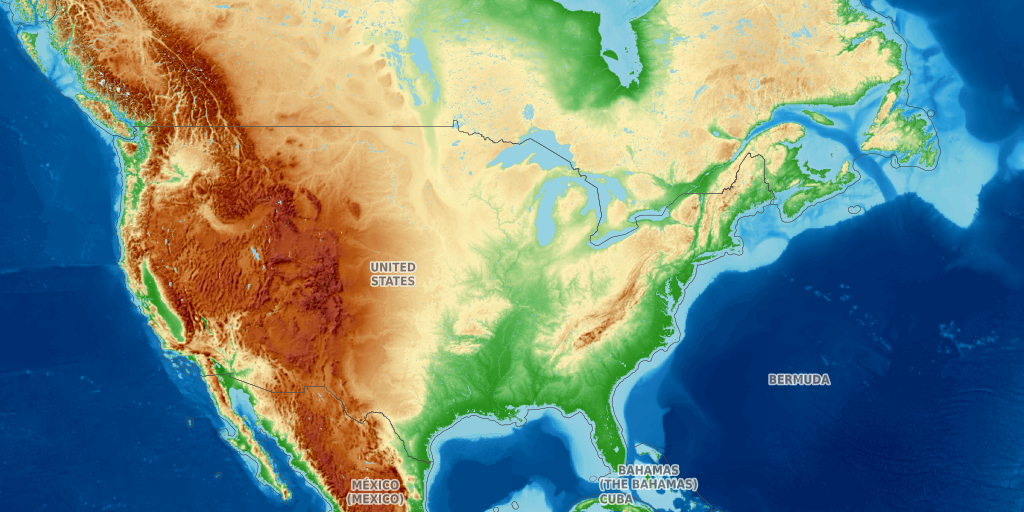
I use Claude Code for GIS work. When I ask it for a map, I get a URL or a file path. I want to see the map. So I built a plugin that draws it in the terminal.
The idea came from claude-inline-images by kbrianps. It draws PNG files that Claude reads. I wanted the same result for map services. The plugin is inline-maps.
What it is
Claude Code loads the plugin at session start. Claude Code calls this type of plugin a "mod". The mod API is early access. You need Claude Code 2.1.287 or later.
The plugin adds two things:
- A tool,
show_map. Claude calls it when you ask for a map. - A command,
/map. You type it at the prompt.
Both use the same function. Only the way they return the result is different.
Which map services it reads
The plugin reads the URL and identifies the type of map service. Then it makes one request for a map image, or one request for each tile. It tests the patterns in the order of the table.
| Map service | URL pattern | Request |
|---|---|---|
| XYZ / WMTS RESTful tiles | {z} or {TileMatrix} | Up to 4 × 4 tiles |
| ArcGIS MapServer | …/MapServer | export, PNG32 |
| ArcGIS ImageServer | …/ImageServer | exportImage, PNG |
| OGC API - Maps | …/collections/… or …/map | …/map?f=png |
| OGC WMS 1.1.1 / 1.3.0 | service=wms or /wms | GetCapabilities, then GetMap |
If no pattern matches, the plugin tries WMS first. If WMS fails, it tries OGC API - Maps.
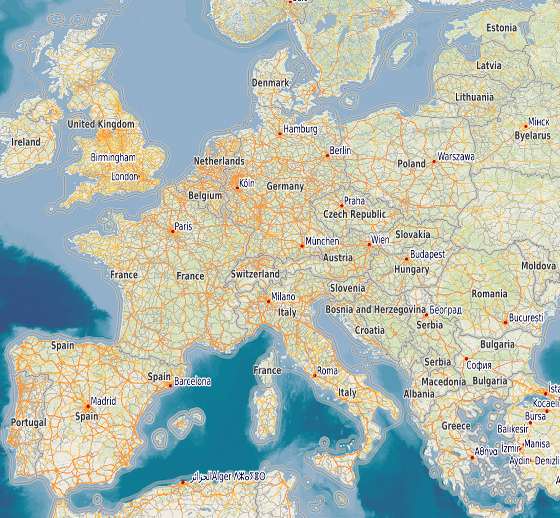
OGC WMS 1.3.0 GetMap, layer OSM-WMS, bbox=-10,35,30,60.
How it works
One function, show(), does these steps for the tool and for the command.
- Plan.
plan()identifies the map service. It reads the service metadata as text. It returns one image URL or a list of tile URLs. It makes no host API calls, so the tests give it fixed responses. - Size.
plan()sets the image size from the ground distance. One degree of longitude is shorter than one degree of latitude, by the cosine of the latitude. Without this step, the map looks stretched. - Download.
curlgets each URL into a temporary directory. I usecurlbecause the host function$.http.fetchreturns text only. - Check. The plugin accepts a body only if the HTTP status is 2xx and the bytes are a PNG. Some tile servers send an error tile as a PNG, so the PNG check alone is not enough.
- Stitch. For tiles,
magick montagejoins them into one PNG. - Cache. The plugin keeps the last 12 images in memory as base64.
- Draw. A
ui.renderhook replaces the transcript row with the image, a caption and a file link. The terminal draws the image with the kitty graphics protocol.
Two details that cost me time
First, ArcGIS keeps square pixels. WMS and OGC API - Maps stretch the image to the size you request. ArcGIS does not. For an extent in degrees, I request imageSR=3857 (Web Mercator) and size the image with the Mercator aspect ratio. For WMS and OGC API, I keep EPSG:4326 and multiply the width by the cosine of the middle latitude.
Second, WMS 1.3.0 changes the axis order. For EPSG:4326, version 1.3.0 uses latitude, longitude. Version 1.1.1 uses longitude, latitude. The plugin swaps the bounding box for 1.3.0.
Markers
You can put a red pin on the map. Give the point as marker=lon,lat[,label]:
/map https://tile.openstreetmap.org/{z}/{x}/{y}.png bbox=2.22,48.81,2.47,48.91 marker=2.2945,48.8584,Eiffel Tower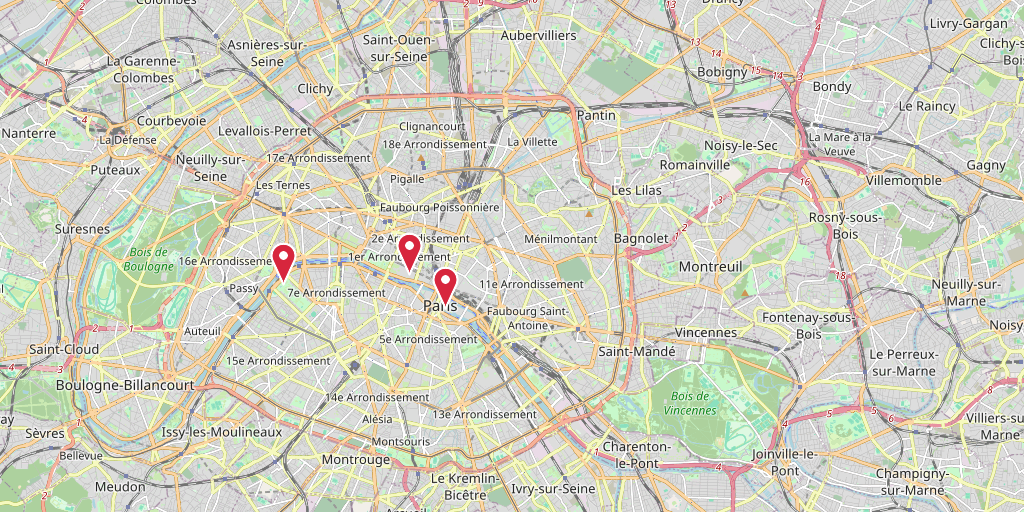
Each plan carries a frame: the extent in degrees, and whether the image rows are in degrees or in Mercator. markerPixel() uses the frame to convert the point to a pixel. Then magick -draw draws the pin. The label goes in the caption, not on the image. ImageMagick has no default font on my machine, and -annotate would read a label that starts with @ as a file name.
Terminals
| Terminal | Result |
|---|---|
| Ghostty | Map image |
| kitty | Map image |
| tmux with passthrough | Map image |
| tmux without passthrough | Caption and file path |
| Other terminals | Caption and file path |
For tmux, add these lines to ~/.tmux.conf:
set -g allow-passthrough on
set -g focus-events on
Limits
- PNG only. A JPEG tile server gives an error.
- The plugin sends no tokens. A map service that needs authentication gives an error.
- Each download stops at 4 MiB or 20 s.
- A map image larger than 2 MiB draws from its file path. SSH and tmux do not show it.
- The desktop app, VS Code and mobile show text.
- The tests use fixed responses. They do not cover
curl,magickor the terminal output.
Install
You need Claude Code 2.1.287 or later, and curl. For tiles, you also need ImageMagick. Add the marketplace:
claude plugin marketplace add mraad/claude-inline-mapsInstall the plugin:
claude plugin install inline-maps@claude-inline-mapsStart a new Claude Code session. Then type /map and a map service URL.
The code is on GitHub: mraad/claude-inline-maps. Next, I want to test more WMS servers. Tell me which one breaks it.


Comments