Clay Explorer: Point at One Tank, Find the Others
In my last post, Where Is Jev?, I found storage tanks in an overhead image. I asked a vision-language model one fixed question about each tile, and SAM 3 found the tanks in the tiles that passed. This time, I want to try the opposite approach. I do not ask a question, and I do not write a prompt. I point at one tank, and the app finds the chips that look like it.
The tool is Clay Embedding Explorer, a small web app that I built around the Clay v1.5 foundation model. It shows chip embeddings on a map, over the source image. In this post, I explain what an embedding is here, how the pipeline works, and what the tank numbers say. One of the numbers looked bad at first, and the reason was more interesting than the number.
The image and the labels
I use the same image as last time: one RGB GeoTIFF, 8,200 × 6,087 pixels at 0.5 m per pixel, in EPSG:3857. Web Mercator stretches distances, so the true ground size of one pixel at this latitude is 0.457 m. A FileGDB has 97 hand-drawn tank polygons. The labels are complete only inside one extent polygon, which covers 82% of the image. I use the labels to score the results. The pipeline never sees them.
What Clay gives me
Clay v1.5 is an open foundation model for Earth observation from the Clay Foundation, under Apache 2.0. Its encoder is a vision transformer (ViT-L, 24 blocks). It was pretrained as a masked autoencoder with a DINOv2 teacher, on chips of 256 pixels. The input is a chip plus sensor information: band wavelengths, ground sample distance, time and location. The output is one vector of 1,024 numbers per chip (the class token). I call this vector an embedding.
Chips with similar ground should have embeddings that point in similar directions. Cosine similarity measures that direction. Nothing guarantees that a similar direction means the same object. That is what I want to test.
How it works
The pipeline is two Python scripts and a static web page.
- Cut. Divide the image into square chips of 128 pixels, about 58 m on the ground. The last row and column move inward to the image edge, so there is no padding. This image gives 3,120 chips.
- Embed. Run each chip through the Clay encoder. For 8-bit RGB aerial imagery, I use the
linzsensor profile, the closest sensor that Clay knows. The acquisition date is unknown, so I set the time and location inputs to zero. Clay training does the same for 20% of its chips. The 3,120 chips take 50 seconds on the GPU of an Apple M4 Max. - Centre. Subtract the mean embedding of the scene, then scale each embedding to length 1. Without this step, all chips of one scene look alike. On this image, the median cosine between two chips is 0.79. After centring, the median is −0.03, and the values spread from −0.68 to almost 1. Cosine similarity then becomes a dot product.
- Summarize. Calculate a PCA colour for each chip and k-means clusters for k = 2 to 8. Then calculate DBSCAN clusters at five density settings, on a 10-dimension PCA projection.
- Export. Write four files:
chips.geojson,embeddings.f32(raw float32, 3,120 × 1,024, 12.8 MB),image.jpgandmeta.json. - Serve. Use any static web server. The browser does the similarity search: a dot product of the query against all 3,120 embeddings, in plain JavaScript.
Only the embed step needs a GPU, and it also runs on a CPU at about a quarter of the speed. After the export, everything runs in the browser. There is no inference server and no vector database. At this size, a loop over a Float32Array is fast enough.
The app
The app is VanillaJS on the ArcGIS Maps SDK for JavaScript 5.1, with Calcite components. Both load from the Esri CDN, so there is no build step and no API key. The image is a MediaLayer, and the chips are graphics in one GraphicsLayer. The app has three views:
- Spectrum shows the first three PCA components of each embedding as red, green and blue.
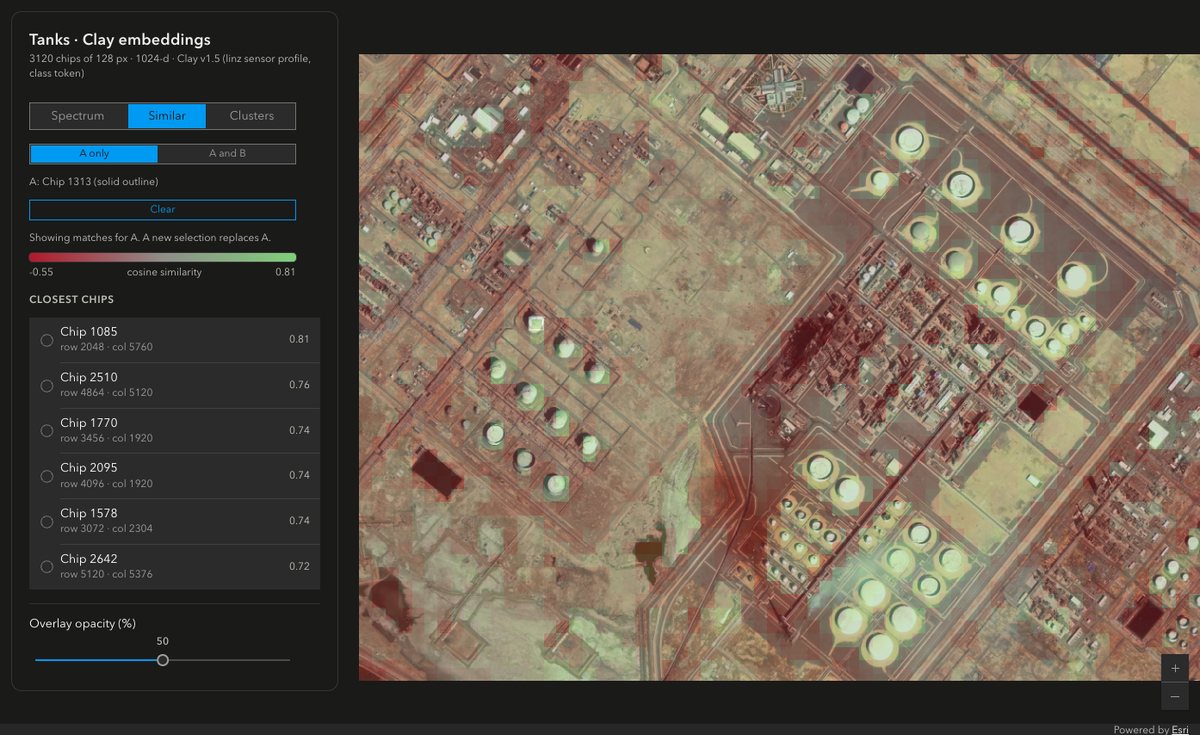
- Similar colours each chip by its cosine similarity to the selected chip, from red (least similar) to green (most similar). It also lists the six closest chips. A second mode takes two chips, A and B, and searches with A + B, A − B or the element-wise product A × B. These operations are exploratory. The model does not promise that A − B means anything visual.
- Clusters shows the k-means or DBSCAN clusters. Select a cluster to show only that cluster.
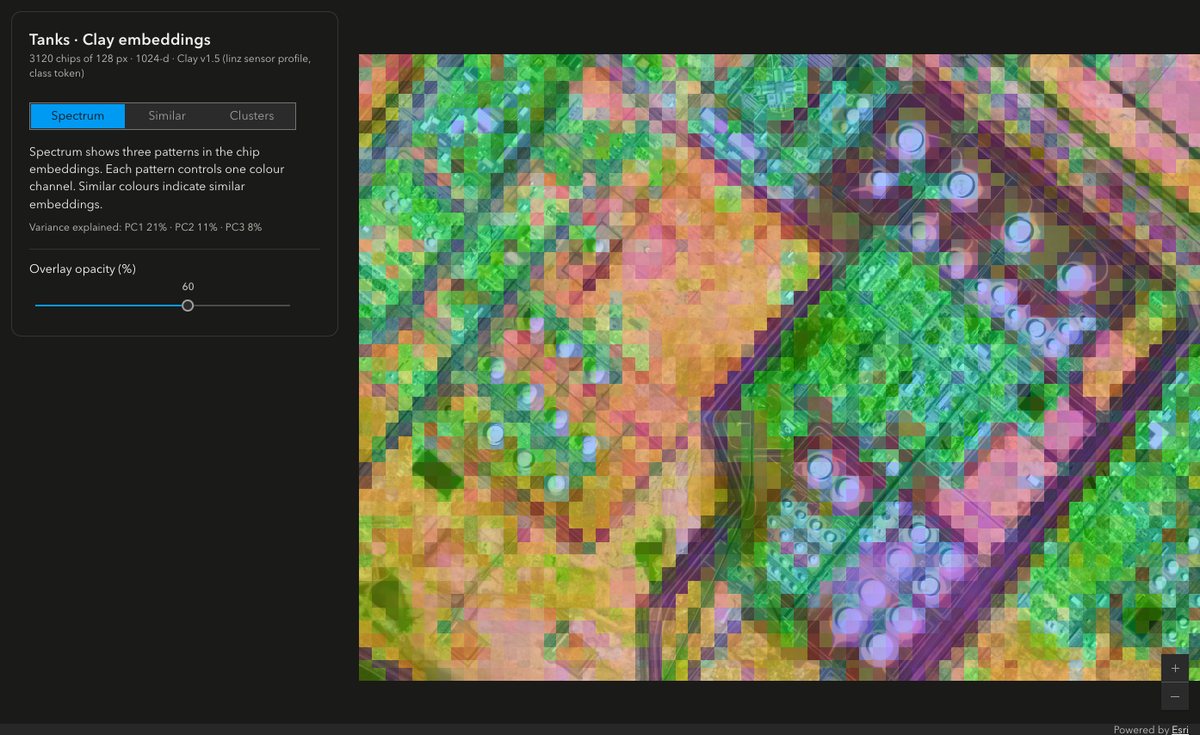
I like Spectrum as a first look. No label went into it, and the tanks still come out in a similar colour.
Point at one tank
I did not want to pick the chip that makes the best picture. So I picked it by a rule. 78 chips hold the centre of a labelled tank. Of these, chip 1313 has the median score for base Clay, and its tank is closest to the chip centre.
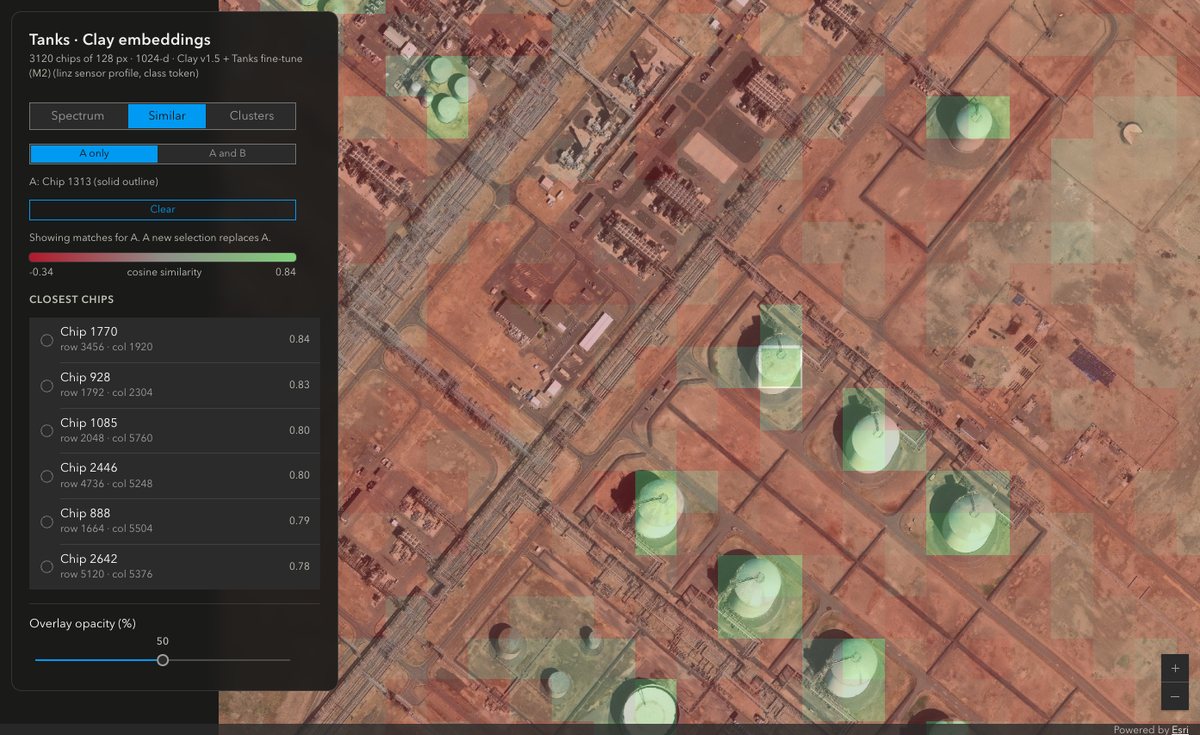
I also fine-tuned the encoder on this image. I call the result M2. It uses a supervised contrastive loss: tank chips against 8 background classes that k-means finds in the base Clay embeddings. The image is split into 250 m cells for training, validation and test. Training takes 10.5 minutes on one NVIDIA RTX PRO 6000. On the held-out test cells, the Similar mAP goes from 0.647 to 0.948. On a different image from 2015 at 0.789 m, it goes from 0.567 to 0.639.
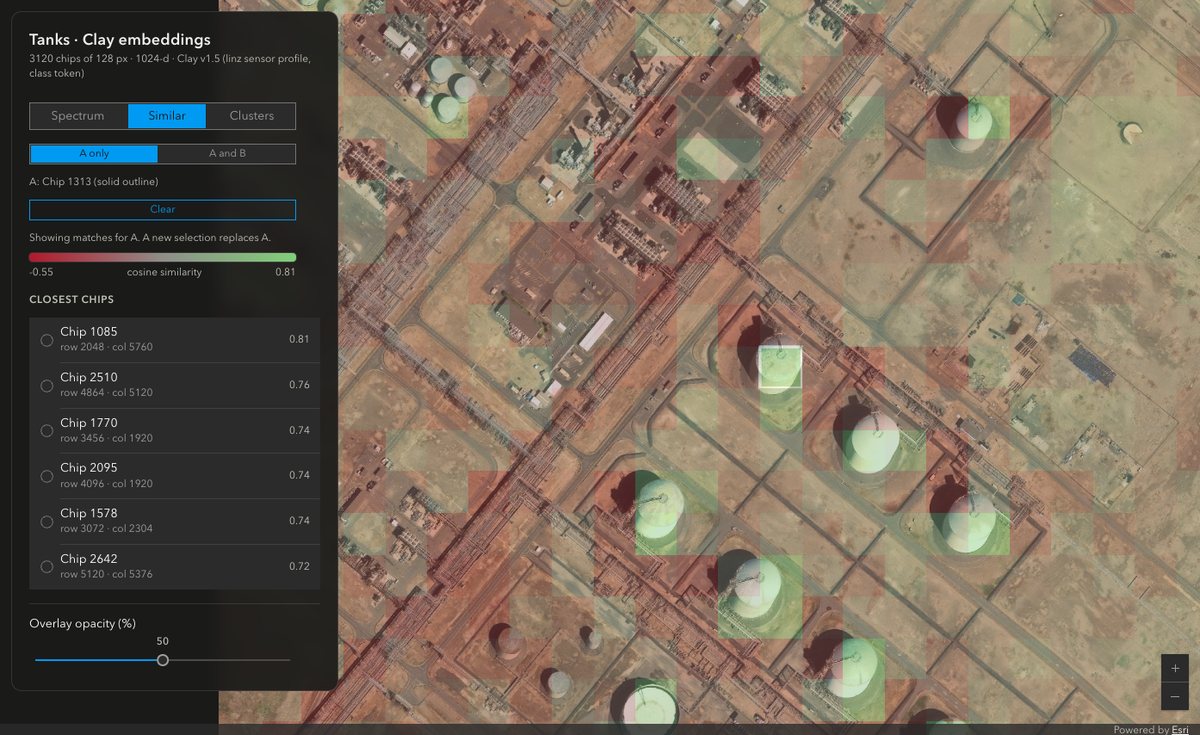
Here is the same chip, zoomed in, with base Clay and then with M2:
What counts as a miss?
I score with P@6: the fraction of the six closest chips that are tank chips. A chip is a tank chip when the centre of a labelled tank is in the chip. I rank only the chips inside the labelled extent. A random chip is a tank chip 3.1% of the time.
For chip 1313, base Clay gets 3 of 6 and M2 gets 2 of 6. That surprised me, because the zoomed M2 picture looks cleaner. So I looked at the misses. All seven misses (five different chips) are chips with part of a tank, but not its centre. I call them partial chips. Each of the 12 matches touches a tank.
The strict score counts a partial chip as a miss. The fine-tune test does not: it removes partial chips from the ranking. Here are both scores:
| P@6 | Base Clay | M2 |
|---|---|---|
| Chip 1313, strict | 0.50 | 0.33 |
| Chip 1313, partial chips removed | 1.00 | 1.00 |
| 78 tank chips at 128 px, strict mean | 0.54 | 0.60 |
| 78 tank chips at 128 px, partial chips removed | 0.77 | 0.91 |
| 84 tank chips at 64 px, strict mean | 0.35 | 0.38 |
| 84 tank chips at 64 px, partial chips removed | 0.68 | 0.84 |
So the answer to "is M2 better?" depends on what a miss is. If a partial chip counts as a miss, M2 gains a little (0.54 to 0.60). If you leave partial chips out, as the fine-tune test does, M2 gains a lot (0.77 to 0.91). Both models are far above 3.1%. I first scored this against the SAM 3 detections from my last post, not the hand labels. Those detections include false positives, and they made M2 look better on chip 1313 than it is. Lesson learned: score against the hand labels when they exist.
A bug on the way
While I reviewed the Clay code for this project, I found that a wrong checkpoint does not fail. The embedder printed one warning per encoder parameter (265 of them), continued with a random encoder, and exited with success. The segmentation and regression loaders printed nothing, and the random encoder stayed trainable. For an embedding app, that means random embeddings that look real.
I fixed this and seven other errors in my fork, mraad/model. With the correct checkpoint, the embeddings are bit-identical to upstream. I also sent the weight-loading fix upstream as pull request #386.
Limits
- This is one image and one run for each setup.
- M2 was trained on this image. The whole-image scores above are not a held-out test.
- A 128-pixel chip mixes a tank with its surroundings. Clay was pretrained on 256-pixel chips, so a smaller chip gives the encoder less context.
- Centring makes similarity relative to the scene. A new export of a different area changes the values.
- The
linzsensor profile is a proxy. The statistics of this image differ from those of the LINZ imagery. - The browser holds all embeddings. At 64 pixels, this image gives 12,384 chips and about 50 MB of embeddings.
- This image is 8,200 pixels wide. On a GPU with a texture limit of 8,192 pixels, such as a software renderer, the image does not draw, and there is no error.
What is next
- Text queries. Clay has no text encoder, so "find the tanks" is not possible yet. A linear probe on the labels is the cheapest step. A text-capable aerial model is the larger one.
- Score partial chips as a third class, between tank and background.
- Downscale the exported image so that it draws on every GPU.
- Use the same chip rule on the 2015 image.
Last time, I asked a question and got detections. This time, I pointed at a tank and got its neighbours in embedding space, without a prompt. With base Clay, it also works without a label. The app code is on GitHub at mraad/clay-explorer, under Apache 2.0. The README has the pipeline commands. The Clay fork and the upstream fix are public too. More to come.


Comments