Update (Jun 2011) : For more updated info, check out my ADC article here . At MAX2010 (Awesome BTW) Adobe introduced Flex SDK Hero and Flash Builder Burrito which enables you to build and deploy Flex mobile applications on Android by default. In addition, using the revitalized Packager for iPhone , you can postprocess the swf into an ipa that you can deploy on an iPhone using iTunes. In this post, I will share with you the steps that I took to use the Flex API for ArcGIS to build a mobile mapping application. First and foremost - RTFM - here are some links that u _need_ to read specially for iPhone provisioning: http://opensource.adobe.com/wiki/display/flexsdk/Hero http://labs.adobe.com/technologies/flashbuilder_burrito/ http://labs.adobe.com/technologies/packagerforiphone/ The cool part of this whole process is now you have one code base to build upon and deploy on Android and iPhone and in the future whatever mobile platform Adobe decides to support. You can download ...
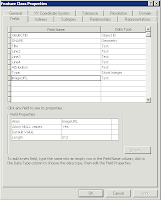
I am a HUGE fan of Augmented Reality , and one of my favorite applications on the iPhone is Layar . In this post, I will "walk you" through how to setup a simple ArcGIS Layar Point Of Interests (POI) layer and how to expose it through the iPhone application. In addition, I created a small Flex application that will enable you to add POIs to that feature class through a python geo-processor task. BTW - this is heavily geared to using ESRI desktop and server tools and I'm assuming that you are familiar with these tools. First, request a developer key from http://dev.layar.com/ . This might take a couple of hours to get to you. So, in the meantime, let's get started. Using ArcCatalog, create a new point feature class called 'Layar' in a geodatabase with the following fields: Title (text), Line2 (Text), Line3 (Text), Line4 (Text), Attribution (Text), Type (Integer), ImageUrl (Text:512). Import that layer into a map document using ArcMap. Save and publish the ...
This is a long overdue post following the clustering post where I wanted each flare element in a cluster symbol to flare to a different image symbol when the flare expands out. In addition, the default flare symbol expands upon a rollover mouse event, by me giving you the source code, you can customize it to expand on click, double click, shift click, whatever you want - you have the source code. The same applies to the flare elements. The ImageFlareSymbol has the same properties as the basic FlareSymbol but has two additional properties (backgroundWeights, backgroundColors) to color code the clusters based on their weight value. Each cluster is composed of one or more Graphic instance. In this implementation, each graphic must be symbolized with an instance of ImageFlareElementSymbol. The latter has a property ‘href’ that reference a bitmap url that will be displayed as a flare element. Here is a sample application to show the image flare in action. And like usual, here is the sou...

Comments